


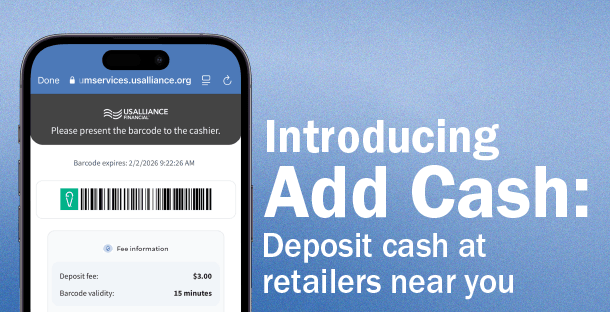
Banking should fit your routine, not the other way around. That’s why we’ve introduced Add Cash—a new feature that lets you deposit cash into your MyLife Checking Account at thousands of retail locations nationwide, including Walmart, CVS®, 7‑Eleven®, Walgreens, and more!
Whether you're grabbing groceries, picking up a prescription, or filling up your tank, adding money to your account is as easy as checking out.
How it works
Getting started with Add Cash is easy:
- Open the USALLIANCE mobile app
- Go to Deposit → Add Cash
- Register and select your account
- Use the map to find a participating store
- Generate your unique barcode
- Show the barcode at checkout and hand over your cash
Your funds are available right away, so you can keep moving without missing a beat!

Add Cash is designed for moments when you need flexibility. Maybe you’re paid in cash, maybe you’re traveling, or maybe you just want a faster way to get money into your account. Whatever the reason, this feature makes depositing cash quick, convenient, and stress‑free.
Now, your everyday errands can double as banking opportunities—saving you time and giving you more control over your money.
Download the full infographic for Add Cash, that will guide you every step of the way!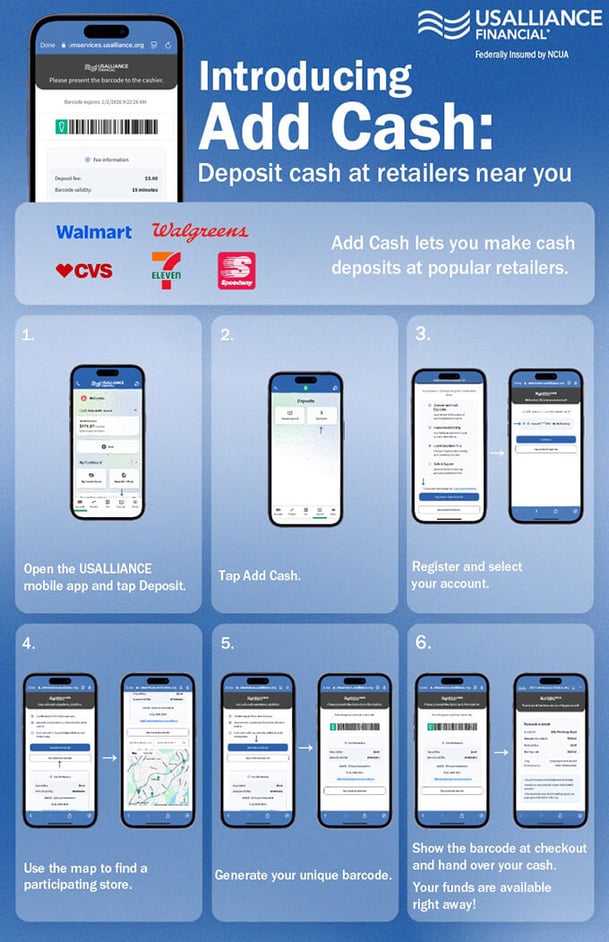




 NMLS #562301
Comments